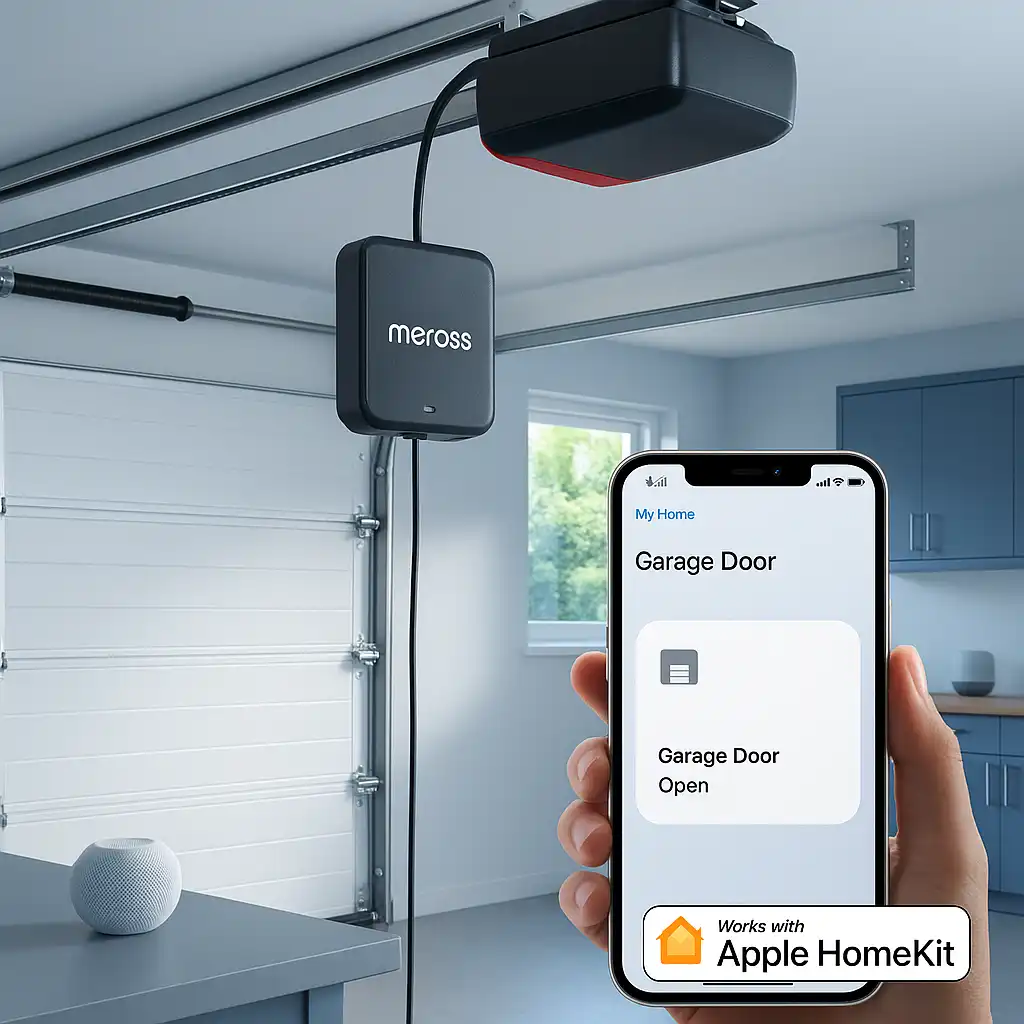
Installing a Meross Apple HomeKit-Compatible Garage Door Opener
Upgrading your garage with a smart opener that integrates seamlessly with Apple HomeKit is a game-changer for convenience and security. The Meross garage door opener offers a reliable, easy-to-install solution that fits perfectly into the Apple ecosystem. Whether you’re a tech enthusiast or a homeowner looking to modernize your space, this guide will walk you through the entire smart garage door installation process, from unboxing to HomeKit setup.
Table of Contents
Why Choose a Meross Garage Door Opener?
Meross has quickly become a trusted name in smart home devices, known for affordability, reliability, and compatibility. Their garage door opener stands out because it supports Meross HomeKit integration, allowing you to control your garage door using the Apple Home app or Siri voice commands.
- Seamless Apple HomeKit setup: No need for additional hubs or complex configurations.
- Wide compatibility: Works with over 1,600 models and 200 brands of existing garage door openers. ([meross.com](https://www.meross.com/en-gc/compatibility-check/garage-door-opener?utm_source=openai))
- Secure and private: End-to-end encryption ensures your garage stays safe.
- Remote access: Open or close your garage from anywhere using your iPhone or Apple Watch.
- Voice control: Compatible with Siri, Amazon Alexa, Google Assistant, and CarPlay for hands-free operation. ([amazon.com](https://www.amazon.com/meross-Compatible-Assistant-SmartThings-Notification/dp/B084Z5QZR2?utm_source=openai))
Preparing for Your Smart Garage Door Installation
Check Compatibility
Before purchasing, verify that your current garage door opener is compatible with the Meross device. Most standard openers manufactured in the last 20 years should work, but it’s best to consult the Meross compatibility list. If your opener requires an accessory for compatibility, Meross provides guidance on how to obtain it. ([meross.com](https://www.meross.com/en-gc/compatibility-check/garage-door-opener?utm_source=openai))
Gather Necessary Tools
For a smooth installation, have the following tools ready:
- Phillips and flathead screwdrivers
- Drill with drill bits
- Wire strippers
- Voltage tester
- Measuring tape
- Ladder
- Small flathead screwdriver (for terminal connections)
- Hammer and cable staples (for securing wires)
- Duct tape (for temporary positioning)
Safety First
Always disconnect power to your garage door opener before beginning installation to avoid electric shock or accidental activation. If you’re unsure about electrical work, consider hiring a professional.
Step-by-Step Installation Guide
1. Unbox and Inspect Your Meross Garage Door Opener
Open the package and ensure all components are present: the main control unit, mounting brackets, wiring, sensor cables, and instruction manual. Check for any damage during shipping.
2. Mount the Control Unit
Choose a location near your existing garage door opener motor unit, ideally within 1.5 meters to ensure easy wiring. Use the provided brackets and screws to secure the Meross control unit to the ceiling or wall. Ensure the location has a strong Wi-Fi signal for optimal performance.
3. Connect the Wiring
Identify the terminals on your existing garage door opener that connect to the wall button. Using the wiring supplied, connect the Meross device to these terminals. This allows the Meross unit to simulate button presses to open or close the door.
Use a voltage tester to confirm the power is off before handling wires. Strip wires as necessary and secure connections tightly to avoid loose contacts. If your garage door opener requires an accessory for compatibility, follow the instructions provided by Meross to install it. ([meross.com](https://www.meross.com/en-gc/compatibility-check/garage-door-opener?utm_source=openai))
4. Install the Door Sensor
The door sensor monitors the open/close status of your garage door. Mount one part of the sensor on the garage door and the other on the frame, ensuring they align when the door is closed. The distance between the two sensors should be less than 1 inch when the door is closed. ([amazon.com](https://www.amazon.com/meross-Smart-Control-Compatible-Assistant/dp/B07L5DPK8P?utm_source=openai))
5. Power Up the Device
Plug the Meross device into a nearby power outlet. Some models may require a USB power source; ensure you use the correct adapter. Once powered, the device’s LED should indicate it’s ready for setup.
6. Download the Meross App
On your iPhone or iPad, download the Meross app from the App Store. This app will guide you through the initial setup and pairing process.
7. Connect to Wi-Fi
Open the Meross app and follow the prompts to connect the garage door opener to your 2.4 GHz Wi-Fi network. Note that 5 GHz networks are typically not supported. Ensure your Wi-Fi signal is strong near the garage for optimal performance.
8. Add to Apple HomeKit
Once connected to Wi-Fi, the app will prompt you to add the device to Apple HomeKit. Scan the HomeKit setup code included with your Meross device or enter it manually.
After successful pairing, the garage door opener will appear in your Apple Home app, ready for control via Siri or automation routines.
Optimizing Your Meross HomeKit Integration
Customize Automations
Use the Apple Home app to create automations such as closing the garage door at sunset or when you leave home. This enhances security and convenience.
Enable Notifications
Set up notifications to alert you if the garage door is left open for an extended period or if it opens unexpectedly. The Meross app allows you to configure different notification modes, including overtime and overnight alerts. ([amazon.com](https://www.amazon.com/meross-Compatible-Assistant-SmartThings-Notification/dp/B084Z5QZR2?utm_source=openai))
Integrate with Other HomeKit Compatible Devices
Combine your Meross garage door opener with smart lights, cameras, or sensors for a comprehensive smart home experience. For example, trigger garage lights to switch on when the door opens.
Use with Apple CarPlay
The Meross garage door opener is compatible with Apple CarPlay, allowing you to control your garage door directly from your car’s infotainment system. Ensure your device is added to the Home app and that Siri Suggestions are enabled for it to appear in CarPlay. ([discussions.apple.com](https://discussions.apple.com/thread/254549742?utm_source=openai))
Troubleshooting Common Issues
Device Not Connecting to Wi-Fi
- Ensure you’re using a 2.4 GHz network.
- Check your Wi-Fi password and signal strength.
- Restart your router and the Meross device.
- Ensure the device is within range of your Wi-Fi signal.
Garage Door Not Responding
- Verify wiring connections are secure.
- Test the wall button to confirm the opener works manually.
- Reset the Meross device and re-pair with the app.
- Check if your garage door opener requires an accessory for compatibility. ([meross.com](https://www.meross.com/en-gc/compatibility-check/garage-door-opener?utm_source=openai))
HomeKit Setup Code Not Scanning
- Try entering the code manually.
- Ensure your iOS device camera is clean and well-lit.
- Restart the Home app and try again.
- Ensure the device is powered on and in setup mode.
Obstruction Detected Error
If you receive an “Obstruction Detected” error in the Home app, adjust the “Opening time” setting in the Meross app to match the actual time your garage door takes to open or close. Increasing this time can resolve false obstruction errors. ([idownloadblog.com](https://www.idownloadblog.com/2021/05/03/how-to-control-garage-door-siri-homekit/?utm_source=openai))
Benefits of Installing a Meross Apple HomeKit-Compatible Garage Door Opener
Investing in a HomeKit compatible device like the Meross garage door opener offers numerous advantages: